Try Board Mode now in II-Agent.
AI agents are powerful when the task is clear.
You ask for a landing page, a bug fix, a slide deck, or a prototype. The agent works through the request, and the result appears in the same conversation.
That works well for simple jobs. But real projects are rarely that linear.
Before building a website, you might need to research the market, compare competitors, test different messaging, analyze survey feedback, create a pitch deck, or prototype a mobile flow. Some ideas become part of the final product. Others are useful only as experiments. Some should be saved. Others should be discarded.
In a normal chat, all of that work gets trapped in one long thread.
The conversation becomes harder to follow. Different directions start to blur together. It becomes unclear what is final, what is exploratory, and what should actually move forward.
That is why we built Board Mode.
Board Mode turns AI work from a single conversation into a structured creative workspace. It gives you a way to explore, compare, review, and save only the work that matters.
Why Board Mode?
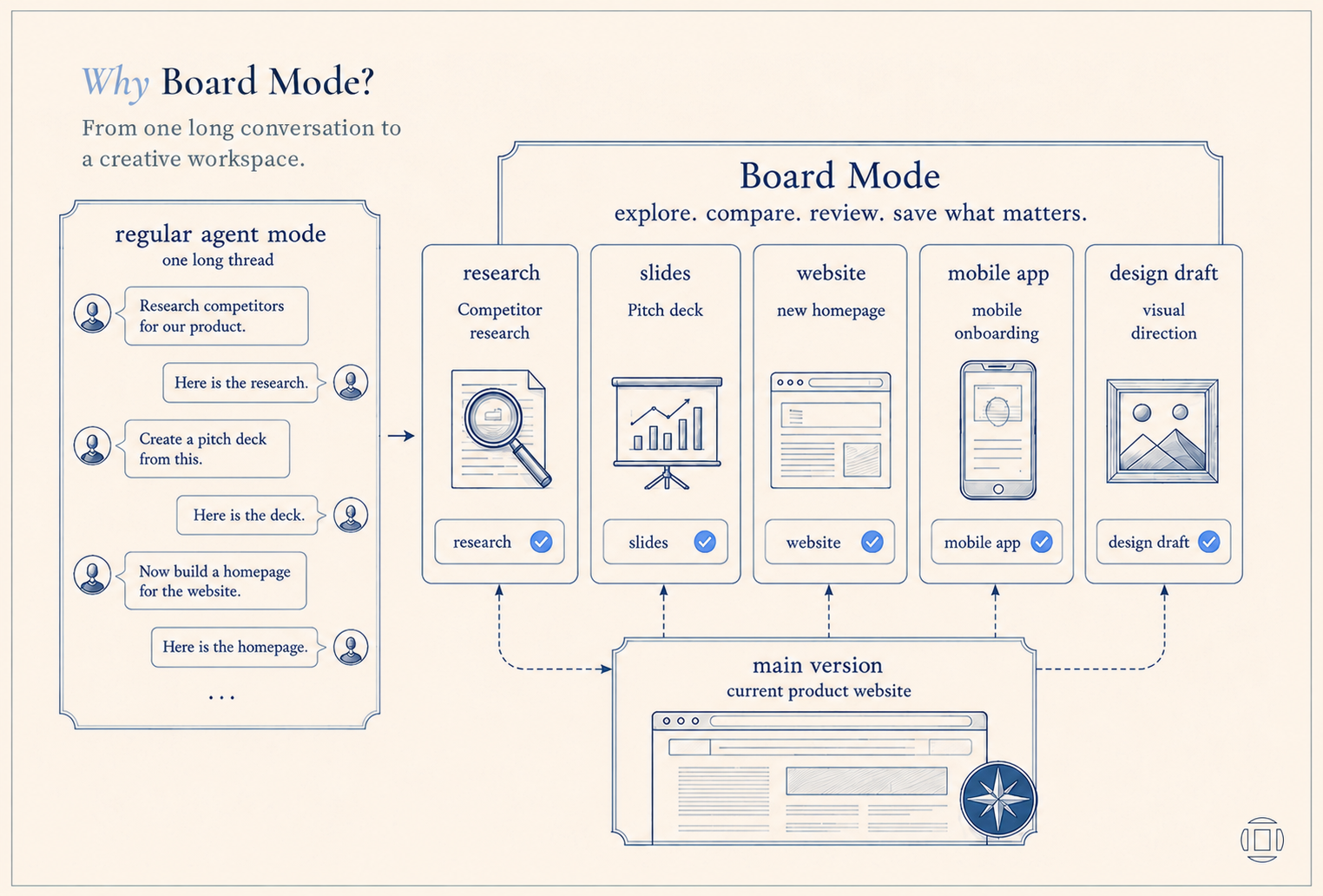
Regular Agent Mode is useful when you already know what you want.
For example:
- Build me a landing page.
- Fix this bug.
- Create a slide deck.
- Make a mobile app prototype.
But many real workflows start before the final output is clear.
You may want to:
- Research competitors before writing copy
- Analyze survey feedback before deciding what to build
- Create a pitch deck before building a website
- Try two different product directions
- Prototype a mobile flow without changing the website
- Explore a design idea without affecting the main version
In a normal chat, every idea sits in the same thread. The more you explore, the more cluttered the workspace becomes.
Board Mode gives every piece of work its own task.
You can create one task for research, another for slides, another for a website, and another for a mobile app. Each task can move independently. When something is ready, you can review it, save it to the main version, continue working on it, or discard it.
What Is Board Mode?
Board Mode is a workspace for building with AI agents.
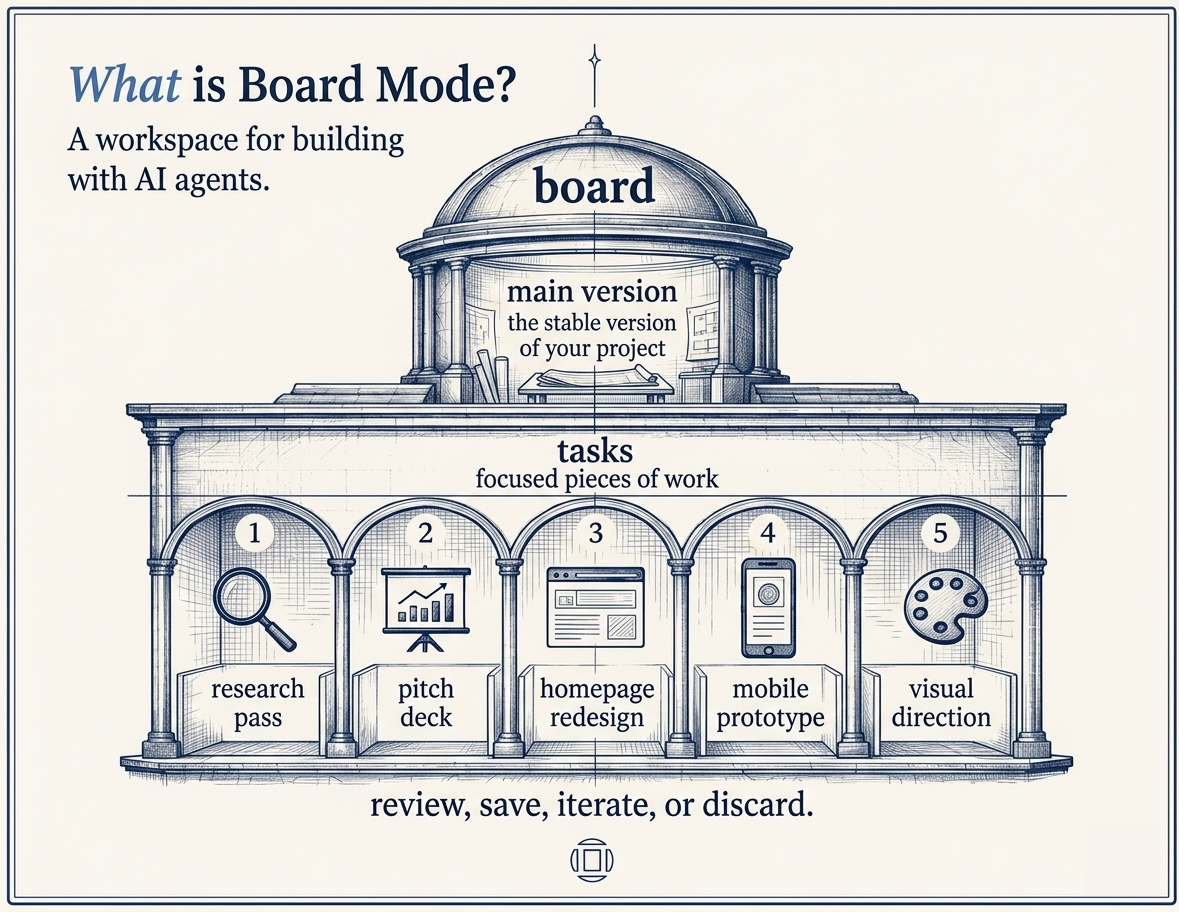
Every board starts with a main version. This is the stable version of your project.
From there, you can create separate tasks. Each task is a focused piece of work. It can be an experiment, a feature, a design direction, a research pass, or a different output format.
For example, one board could contain:
- Main version: the current product website
- Task 1: research competitor landing pages
- Task 2: create a pitch deck
- Task 3: build a new homepage
- Task 4: prototype the mobile onboarding
- Task 5: try a different visual direction
Each task can use the right mode for the job:
- Website Mode for building web experiences
- Slides Mode for creating presentations
- Mobile App Mode for app prototypes
- Plan Mode for breaking down work
- Design Draft Mode for visual exploration
The important part is that tasks do not automatically overwrite your main version.
You stay in control. The agent can explore, build, and iterate, but the main project only changes when you decide it should.
How Board Mode Is Different From Regular Agent Mode
In regular Agent Mode, the workflow usually happens in one continuous thread.
You ask. The agent works. You continue from there.
That is simple, but it can become limiting when you want to explore multiple directions at once.
Board Mode adds structure.
Instead of putting every idea into one conversation, you can split the work into tasks. Each task has its own context, output, and status. When a task finishes, you decide what happens next.
You can:
- Review the result
- Save it to the main version
- Keep iterating
- Discard it
This makes AI work feel less like a single chat and more like a real creative process.
How It Works
You can think of Board Mode as a project board for AI work.
You start by entering the overall goal for the project. Board Mode can then help prepare starter tasks before the board opens, giving the agent a clearer structure to work from.
From there, you control the board through the Orchestration Agent session. This gives you a central place to guide the project, monitor progress, and decide how tasks should move forward.
The Task Board
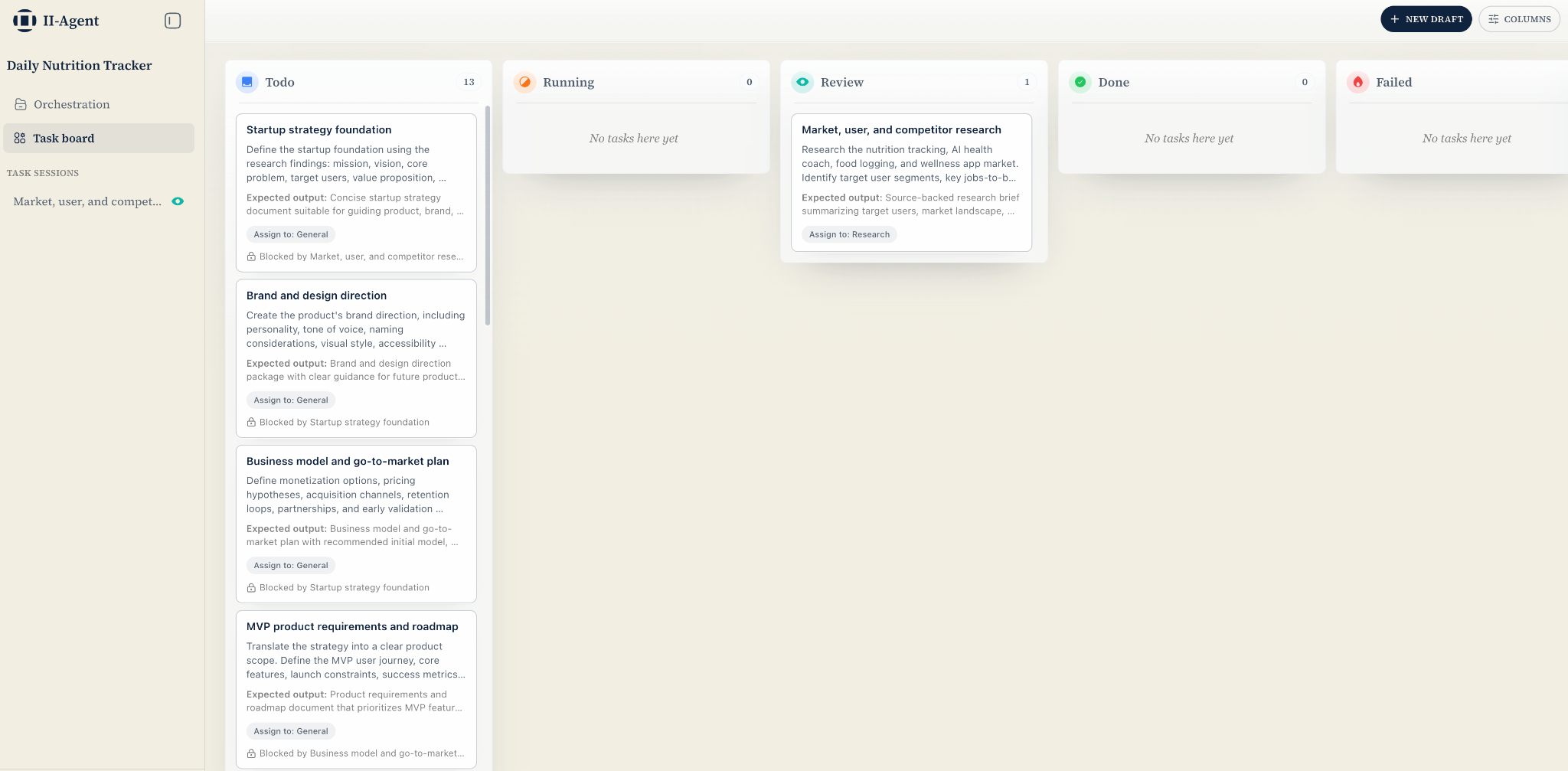
The Task Board is a Kanban-style view where every task appears as a card.
Tasks move through clear stages:
- Pending
- In Progress
- Review
- Done
It looks like the kind of board a product or creative team might use to manage work, except now agents can pick up tasks, work through them, and move them forward.
This gives you a clear view of what is happening across the project without needing to scroll through a long chat history.
The Task Map
Some tasks depend on others.
For example, "build the homepage" may need "research competitor landing pages" to finish first. "Create a pitch deck" may depend on the messaging work. "Prototype the mobile onboarding" may depend on the product flow.
The Task Map lets you connect those dependencies visually.
The agent can then understand which tasks can run in parallel and which tasks need to wait for inputs. You do not have to manually manage the order. Board Mode keeps the workflow organized while the agents do the work.
You Decide What Becomes Final
When a task is complete, you choose what happens next.
You can review the result, save it into the main version, keep iterating, or discard it entirely.
That means exploration stays separate from execution. Agents can try different directions without breaking the stable version of your project.
The main version only changes when you approve it.
Try It Now
- Web App: agent.ii.inc
- GitHub: github.com/Intelligent-Internet/ii-agent
- Community Discord: discord.com/invite/intelligentinternet
Join the conversation, share what you're building, and help shape what comes next.
Follow us on X: @ii_posts