Try Factory Agent now at agent.ii.inc/factory.
Most AI media tools hide the interesting part. You type a prompt, a spinner turns, and a video falls out. If it's wrong, your only move is to re-prompt and hope. The planning, the model choices, the storyboard, the assembly: all of it happened somewhere you couldn't see, let alone touch.
Factory Agent takes the opposite approach. It is a generative media agent that builds images, video, voice, and music for you, and it does all of its work on an infinite canvas, where every step of the agent loop becomes a node you can inspect, edit, rerun, or rewire. The chat and the canvas are two views of the same live workflow: tell the agent what you want, then watch the production assemble itself in front of you.
Here's what that looks like, from the first sentence to the final cut.
From one sentence to a full production
A new Factory project starts as an empty canvas with a simple question: what do you want to make?
There are two ways in. You can work bottom-up, right-clicking to drop individual nodes for images, video, voice, or music. Or you can hand the whole job to the agent: type one line into the Factory Agent box, like "Create a video to introduce the Intelligent Internet company."
From that single sentence, the agent plans the production end-to-end. It loads the right skills, researches your topic when needed, and asks clarifying questions about duration, style, and models, then lays down a complete, connected graph: script, storyboard frames, reference images, video segments, voiceover, music, and final assembly.
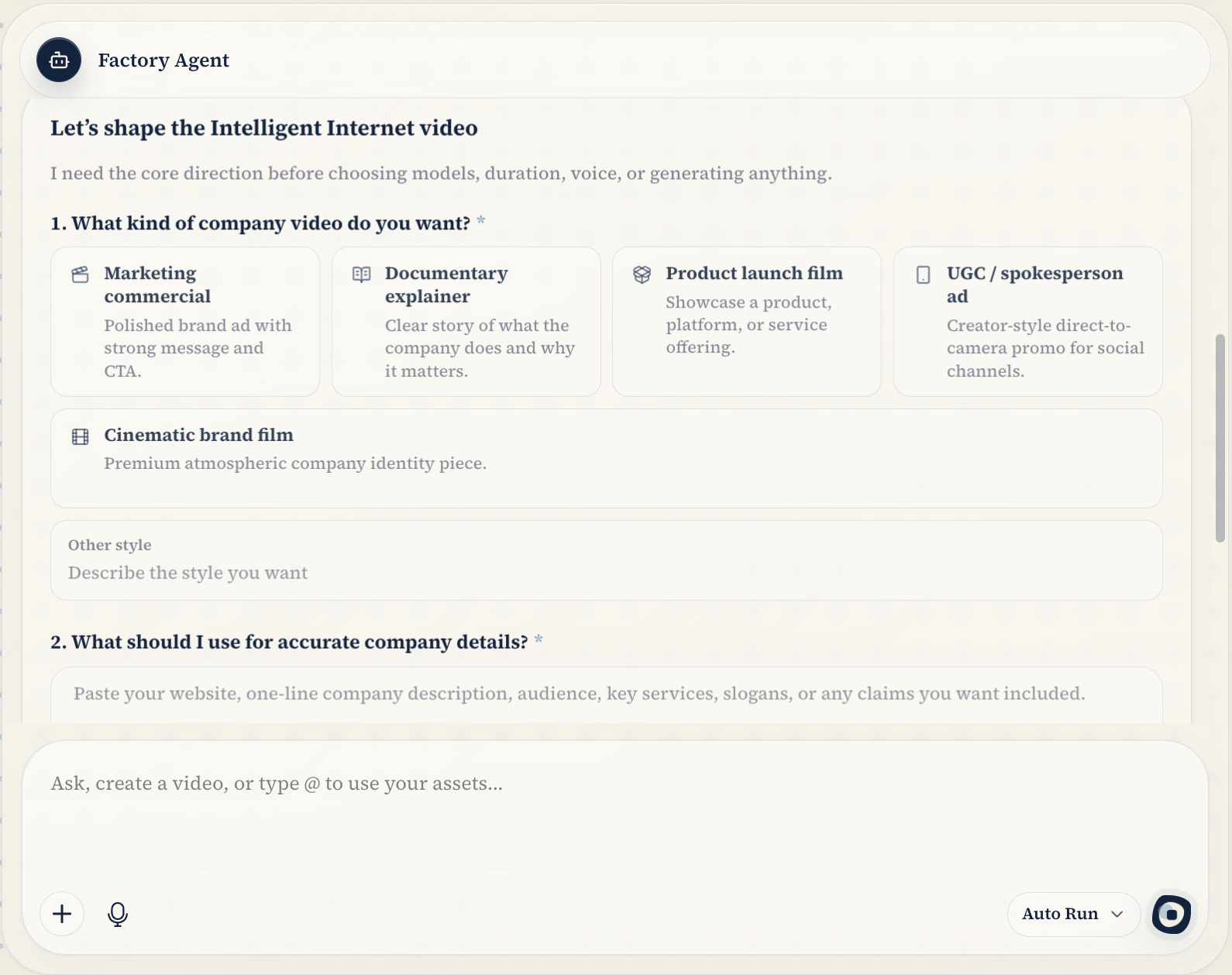
This is where Factory parts ways with every black-box generator: none of that work happens out of sight.
Watch the loop unfold on the canvas
Every tool the agent makes, whether it generates a storyboard frame, creates a video segment, or wires one node's output into another's input, lands on the canvas as something you can see and edit.
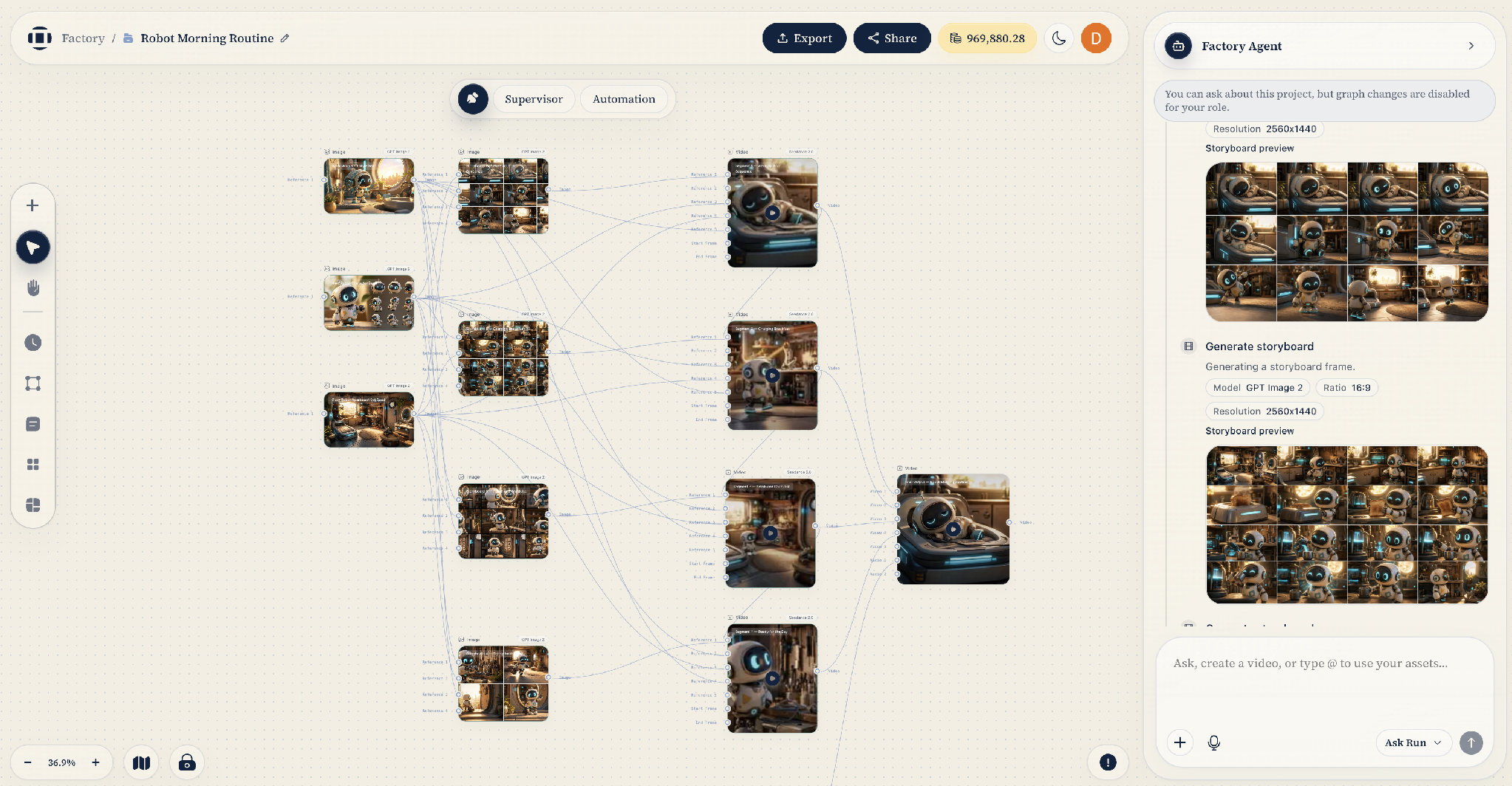
This project is a short film called Robot Morning Routine. Each storyboard frame, reference image, and video segment is a node, and the edges trace exactly how the agent connected them: which frames feed which shots, and how the shots flow into the final cut. The chat panel on the right streams the same process step by step, with previews, models, resolutions, and settings attached to each action.
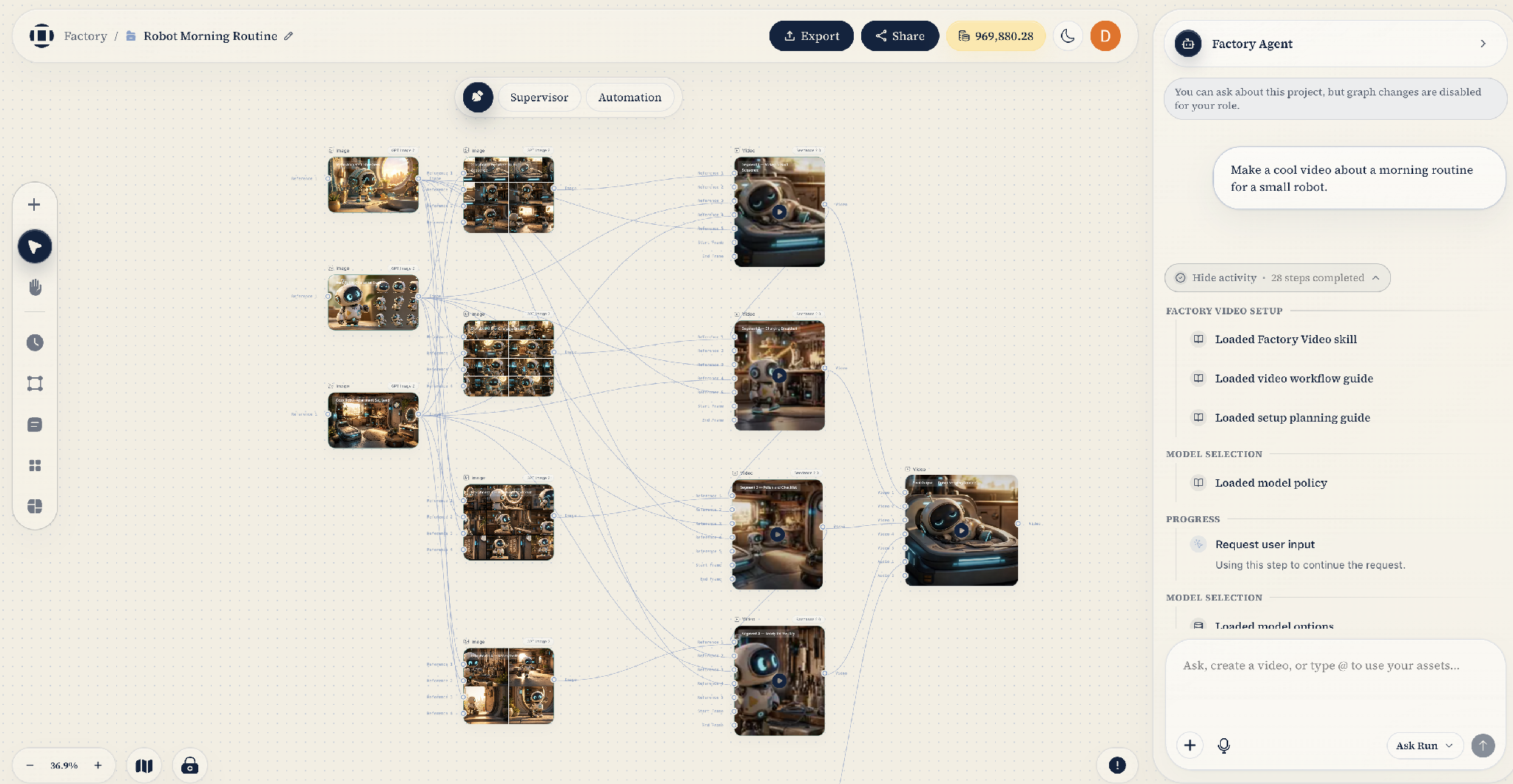
Step through that panel and you can follow the agent's reasoning in real time: it loads its video skill, workflow guides, and model policy, then pauses to ask for your input before committing to a plan. And because the workflow is a graph rather than a transcript, stepping in yourself is just as natural. Tweak a prompt on one storyboard node, swap the model on a video segment, delete a shot you don't like, then rerun only that node or the flow downstream of it. No regenerating the whole project, no re-prompting from scratch.
How much the agent does on its own is up to you. Two run modes set the balance:
- Supervisor. Every mutating action (creating nodes, generating media, rendering) goes through a confirmation gate. The agent shows you a preview of what it's about to do; you approve, edit, or reject before anything runs or spends credits.
- Automation. The agent runs the full loop on its own, and you review the results on the canvas.
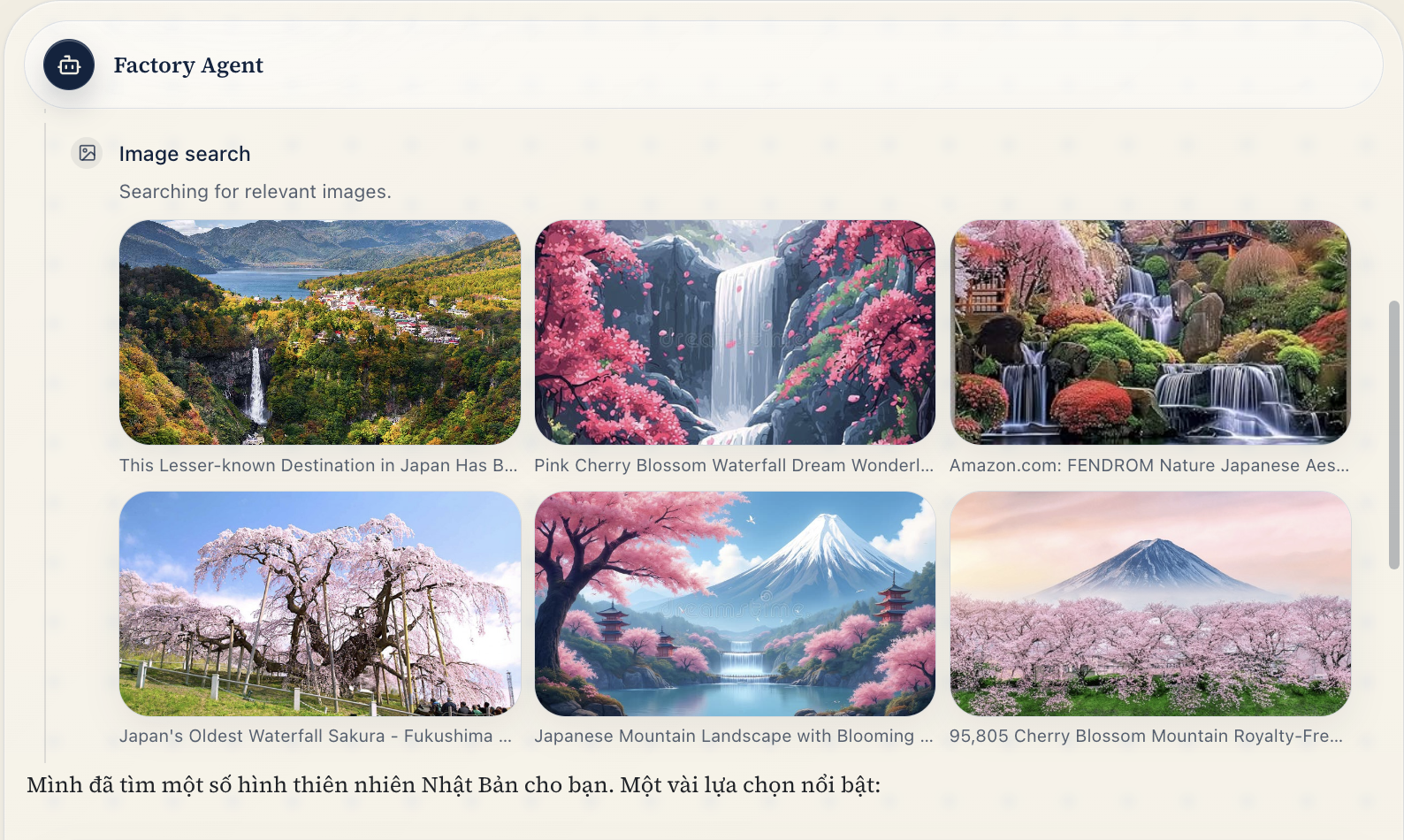
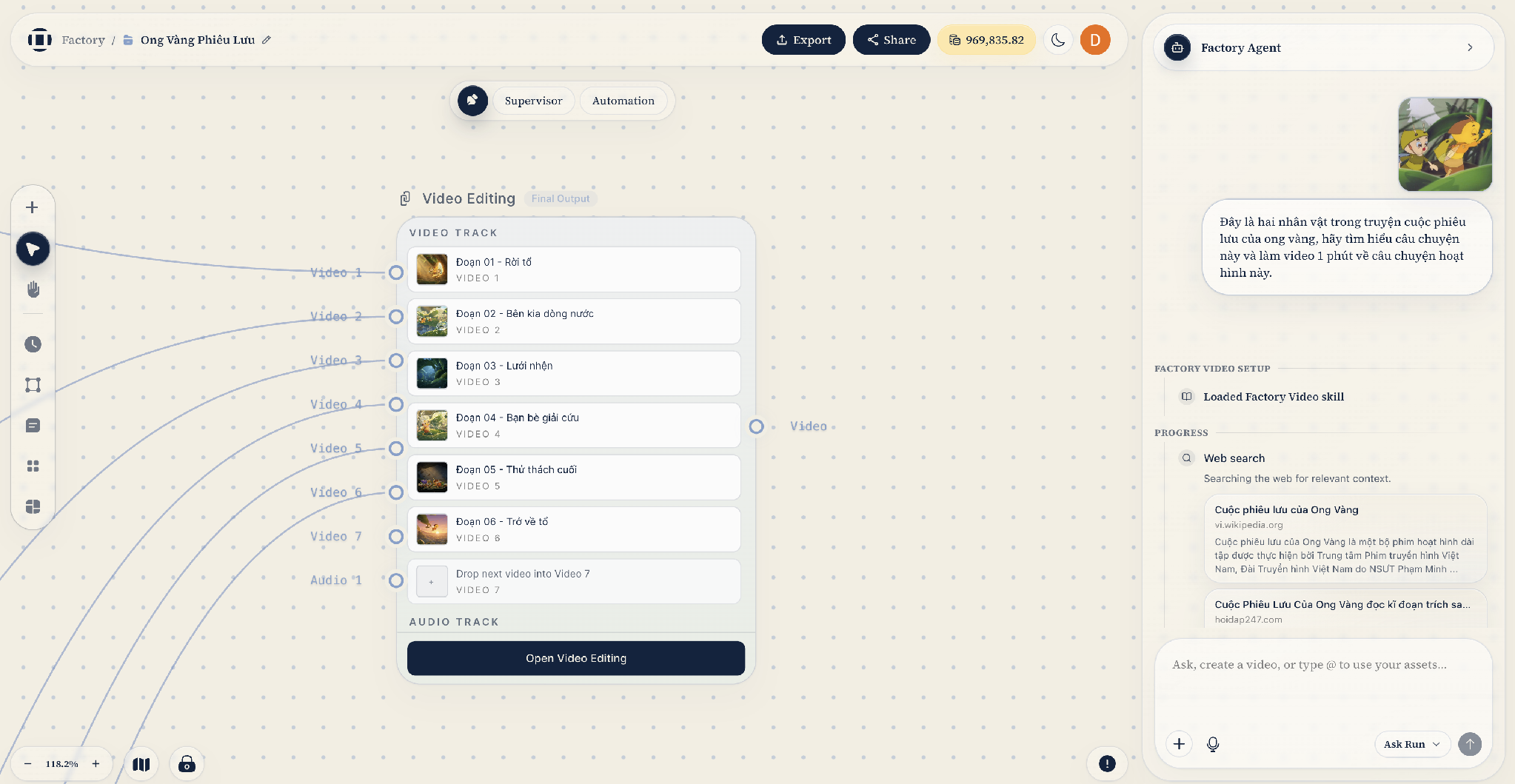
It works in your language end to end, too. This Vietnamese-language animated story is driven entirely by a Vietnamese conversation with the agent — the clarifying questions, the generated voiceover, and even the agent's status updates are localized.
It ends in a timeline of six video segments plus an audio track, composed across media types: generated clips, voiceover aligned against the transcript timing, and music, merged into one editable cut. Reorder segments, trim shots, or ask the agent to do it for you, then render.
Under the hood: how the loop maps to the canvas
Everything above falls out of one design decision: the canvas isn't a visualization layered on top of the agent; it's the agent's only interface to the work.
The runtime. Factory Agent runs on the OpenAI Agents SDK. Each turn, the runtime builds an agent whose tools are the canvas: reading project context, creating and updating nodes and edges, executing flows, inspecting timelines. Tool results stream to the frontend as events, which is why each step lands in the chat panel and on the canvas in real time.
Skills. The agent's knowledge is packaged as skills (factory-commons, factory-canvas, factory-video, factory-agent-director), each a manifest of prompt blocks and tools with activation signals. Guides like the video workflow policy or the model catalog load lazily, only when the current step needs them. That's what the "Loaded Factory Video skill" and "Loaded model policy" entries in the step list are. Tools work the same way: namespaces are deferred behind tool search, so the graph-mutation or timeline toolset is pulled in only when the task calls for it.
Tool calls are graph mutations. The canvas graph has typed nodes: text, image, video, audio, voice, infographic, storybook, plus edit operations like trim, crop, and effect. The agent creates whole workflows in single batched calls (factory_create_nodes, factory_create_edges), so prompts, models, settings, positions, and wiring land together as one reviewable change, and in Supervisor mode, one confirmable preview.
Layout is deterministic. The agent decides what belongs on the canvas; a timeline-aware layout engine decides where. Nodes fall into phase columns (uploaded assets, seeds, storyboard, references, video segments, audio, assembly, review, final) with collision checks, which is why agent-built projects read left to right like a production pipeline.
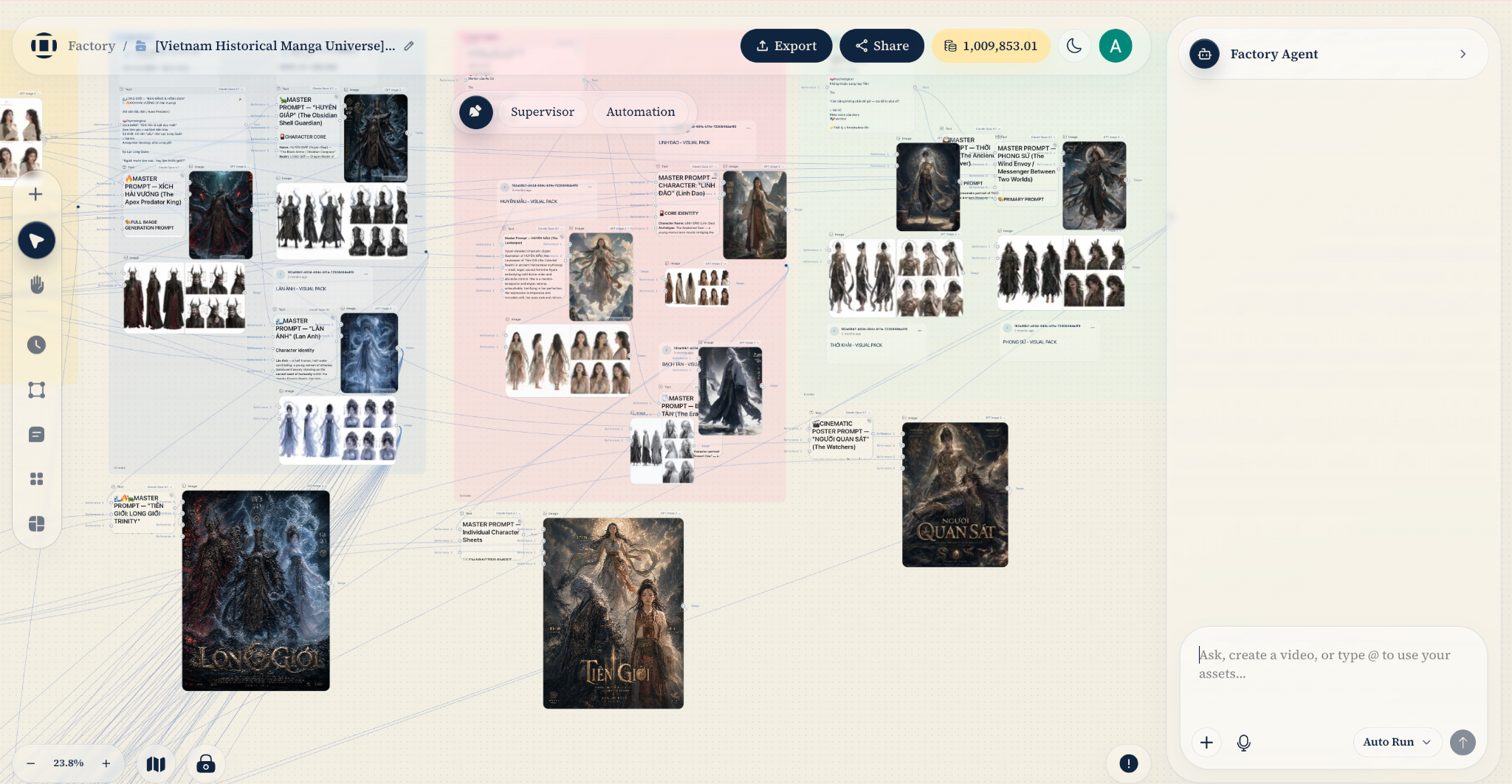
Execution is scoped. The agent runs the smallest thing that needs running: a single node, the dependency flow leading to a target node, or the whole project. Node statuses (draft, executing, success, failed) reflect on the canvas live, and a failed node can be diagnosed and repaired in place.
Safety rails. Confirmation-gated tools can't mutate the graph or spend credits without approval in Supervisor mode, and idempotency signatures on media generation prevent an approved action from accidentally running twice and charging you twice.
Why this shape matters
Chat is a great way to direct creative work and a terrible place to store it. A linear transcript can't represent a production with thirty interdependent assets; a graph can. By making the canvas the agent's native workspace, Factory Agent gives you both halves of the deal: the leverage of an autonomous agent that can build an entire video from one sentence, and the control of a node editor where every decision it makes stays visible, editable, and rerunnable.
The interesting part is no longer hidden.
Try It Now
Start with a blank canvas and one sentence.
- Try Factory Agent: agent.ii.inc/factory
- Community Discord: discord.com/invite/intelligentinternet
Follow us on X: @ii_posts