Factory · Infinite canvas
One sentence in. A complete production out.
agent.ii.inc/factory
Factory plans from a single brief, then generates image, video, voice and music in parallel and converges them into one finished production.
Try the new Factory experience at agent.ii.inc/factory.
Factory started with a simple idea: give creators one place to build a complete production. Images, video, voice, music, and the decisions behind them all live on an infinite canvas, where every step can be inspected, changed, or run again.
Since we released Factory Agent, we have received a great deal of positive feedback from users. Creators have used it to turn a single instruction into connected productions, while keeping control of the individual prompts, assets, and outputs along the way.
Those responses also clarified the next priorities. Users wanted more features such as transforming websites and documents into professional videos, a place to find available ideas and prompts, assets across multiple projects, and guidance for Factory on the workflows their team was already using.
This update introduces a new video editing experience powered by HyperFrames, along with two new video workflows: Website to Video, which turns a website into a narrated video, and Whiteboard Explainer, which transforms source material into a clear visual explanation. We are also introducing Custom Skills, so creators can teach Factory their own workflows and shape how it creates media, and My Assets, which makes it easier to organize and reuse work across projects. Finally, Prompt Library gives creators a collection of ready-to-use prompts and examples to start from, adapt, or use as inspiration for their next project.
Edit videos in Factory
HyperFrames is an open-source framework from HeyGen that turns HTML, CSS, media, and animations into MP4 video.
Based on HyperFrames, we have integrated a new video editing experience into Factory. Creators can open a video from the canvas, refine it in the editor, and export the result back to the same node.
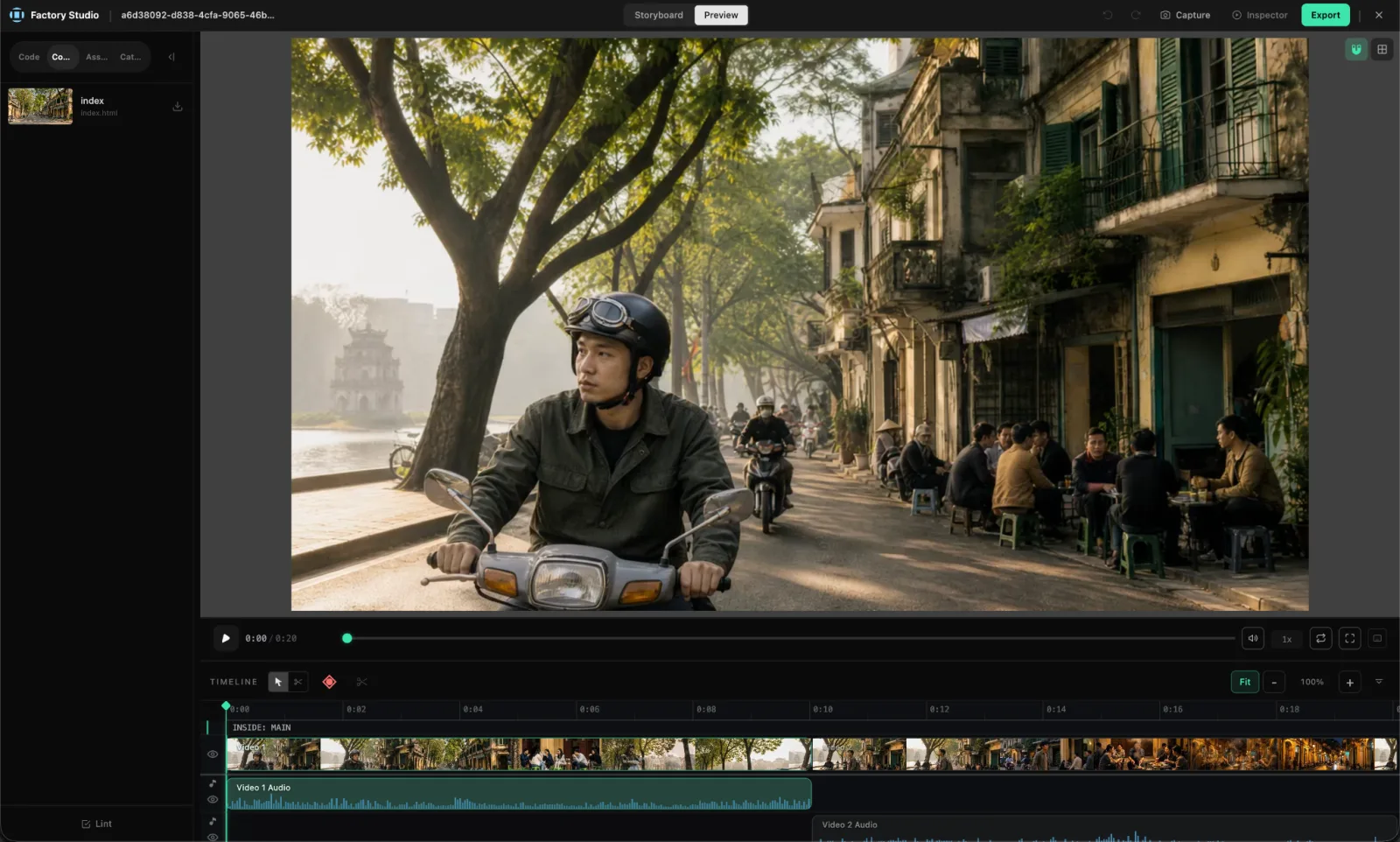
Website to Video
Websites often contain the clearest explanation of a product, but turning that material into a video usually means rebuilding the story by hand. Website to Video gives Factory a website and turns its real content into a structured, narrated tour.
Website to Video requires the II-Browser Operator Chrome extension. It connects Factory to your Chrome session so Factory can capture the page, read its visible copy, layout, colors, and assets, and work with interactive or signed-in experiences you authorize.
Prompt
Turn our homepage into a 30-second narrated product tour. Start with the value proposition, show the workflow section, and end on the call to action.
From that source, Factory builds a compact scene plan around the journey the video needs to tell: an overview, a navigation path, a before-and-after state, or a sequence of key sections. The plan stays grounded in the captured experience instead of adding product claims, statistics, testimonials, or account states that were not present.
Narration shapes the timing of the composition. Factory generates the voice, maps each phrase to the relevant visual, and gives every section enough time to be understood. The HyperFrames composition is then checked for layout, assets, typography, timing, and scene quality before the final video appears on the canvas.
Whiteboard explainer video
Sometimes the source is not something to showcase; it is something to explain. Whiteboard Explainer turns documents and research into a short video built around the idea the audience needs to understand.
Give Factory a document, PDF, slide deck, report, paper, set of notes, article, or informational webpage. It reads the source, identifies the main argument or process, and reorganizes the material into an explanation instead of animating each page in order.
Prompt
Turn this research report into a 60-second whiteboard explainer for a non-technical audience. Keep the key qualification on the headline number.
A typical explainer develops across three to six connected scenes. Each scene adds one part of the reasoning, using the format that communicates it most clearly: text, a diagram, a data view, a worked example, or a visual metaphor.
Whiteboard explainer
One idea, five connected scenes.
01 / 05
Open on the one line that matters — the core claim, stated plainly.
"Whiteboard" describes the visual language, not a requirement for hand-drawn animation. Lines, labels, charts, and connectors are used when they make a relationship easier to understand. Source numbers, qualifications, dates, and attribution remain intact, and Factory does not invent chart data or turn page chrome into part of the lesson.
Once the explanation is structured, narration sets the pace. Each phrase is mapped to a visual cue, and Factory checks that every scene reaches a complete, readable state before moving on and rendering the final video.
Create Custom Skills
Every creator and team develops its own way of working: a preferred storyboard structure, a brand voice, a review checklist, or a sequence that consistently produces a better result. Custom Skills make those methods available inside Factory.
Start by describing the skill you want to create. You can upload files, add website or YouTube references, or import an existing skill package from GitHub. Factory uses those sources to build a private package of instructions and supporting resources.
Before the skill becomes available, Factory checks its structure, references, and scripts. When it finds a specific issue, it can repair the affected part and review the package again instead of asking you to start over.
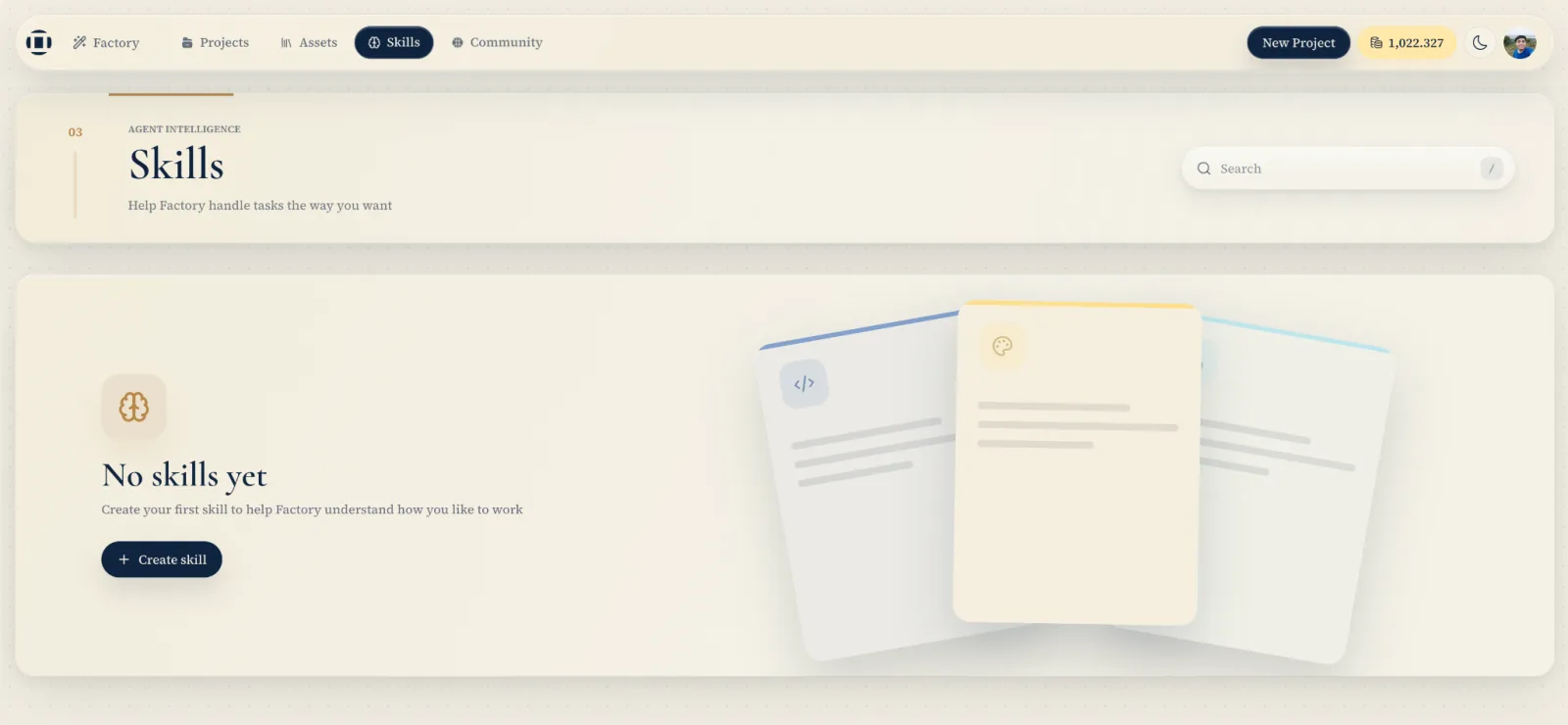
The Skills page keeps the package transparent and editable. You can inspect its files, update instructions, manage resources, enable or disable the skill, download it, or remove it. Custom Skills remain private to their owner.
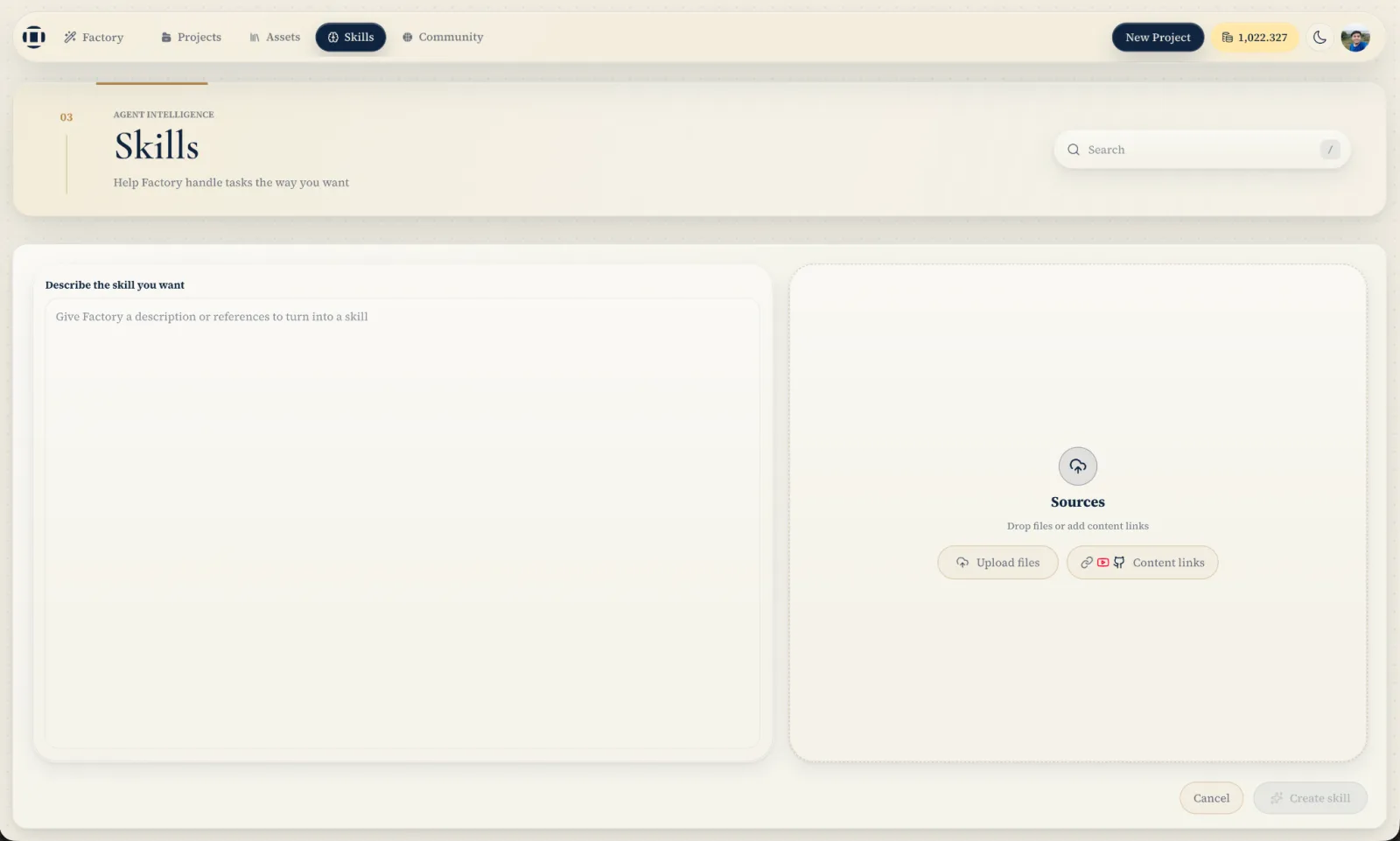
To use one, type @ in Factory Assistant and select the skill alongside the assets for the task. It can guide the defaults, steps, style, and review criteria Factory follows, while the product's existing permissions and confirmation rules remain in place.
Recreate prompts from the library
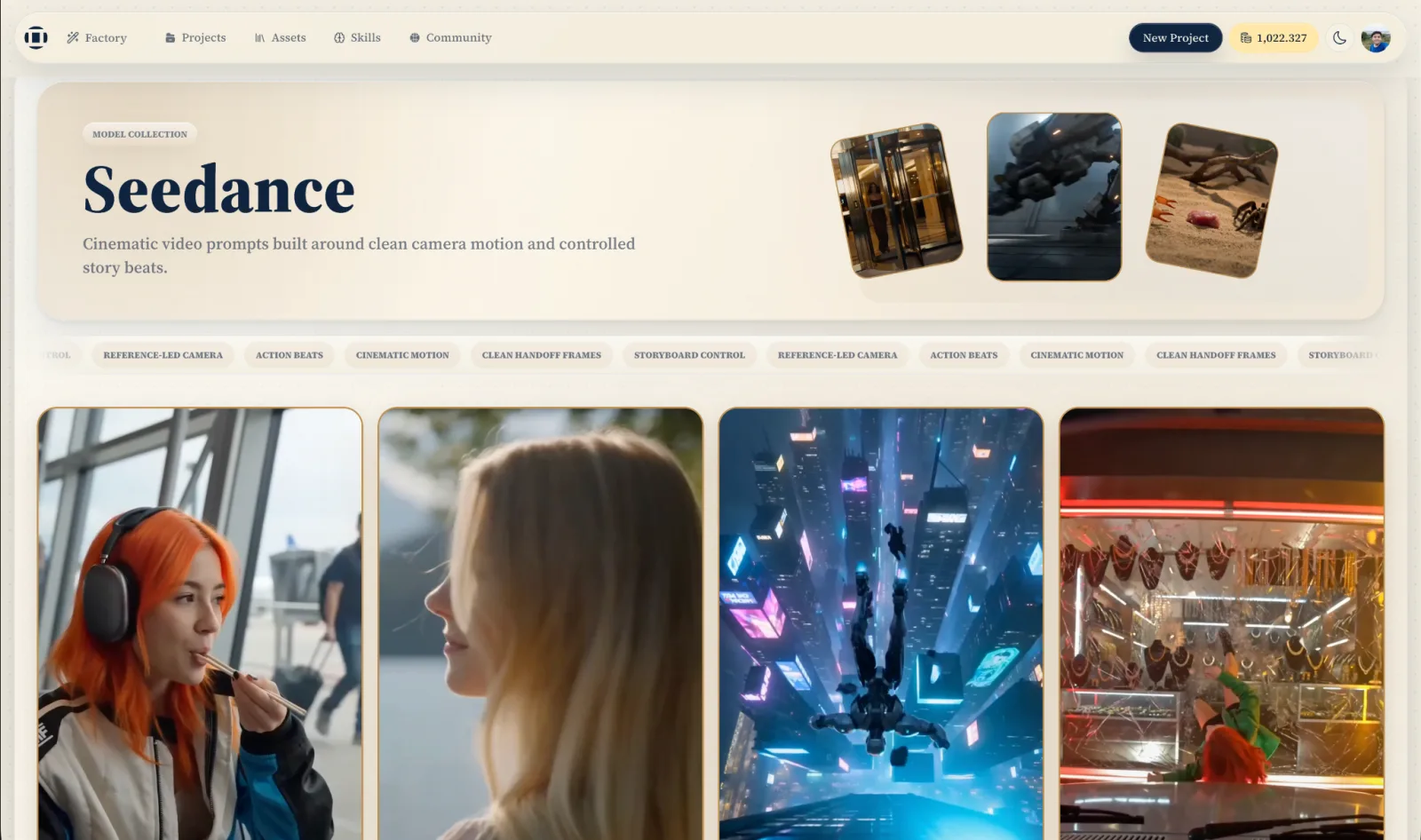
Starting from a blank canvas is useful when the idea is clear. At other times, the fastest way forward is to see what already works. Prompt Library brings together image and video examples that creators can explore, learn from, and recreate.
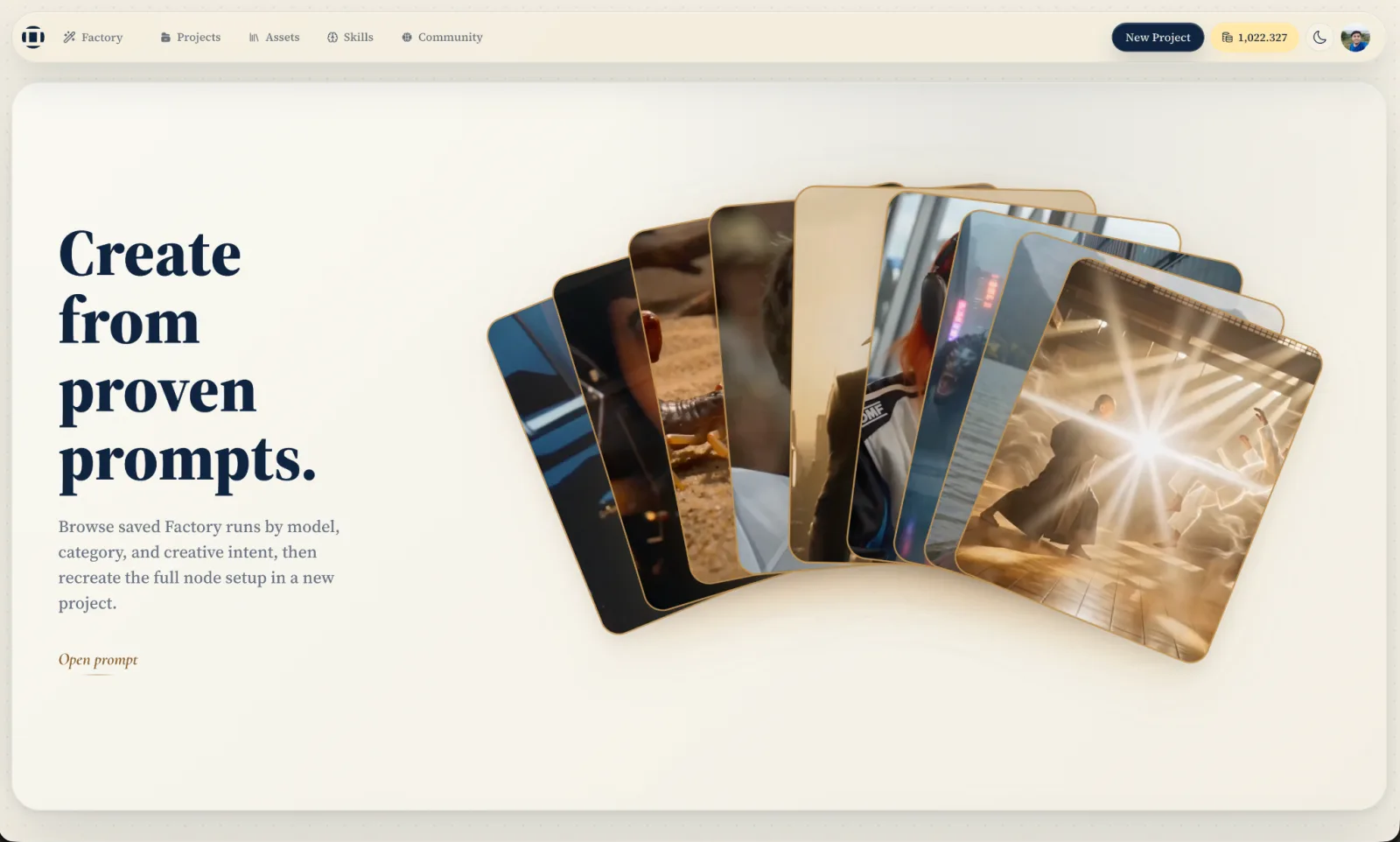
Browse by model, category, or creative intent, with real media previews on every card. Video examples include playback, sound, and scrubbing, so you can understand the result before opening its setup.
Open an example to see the prompt, model, aspect ratio, resolution, duration, audio setting, tags, and reference inputs behind it. When you find a useful direction, select Recreate to open it in a new Remix project.
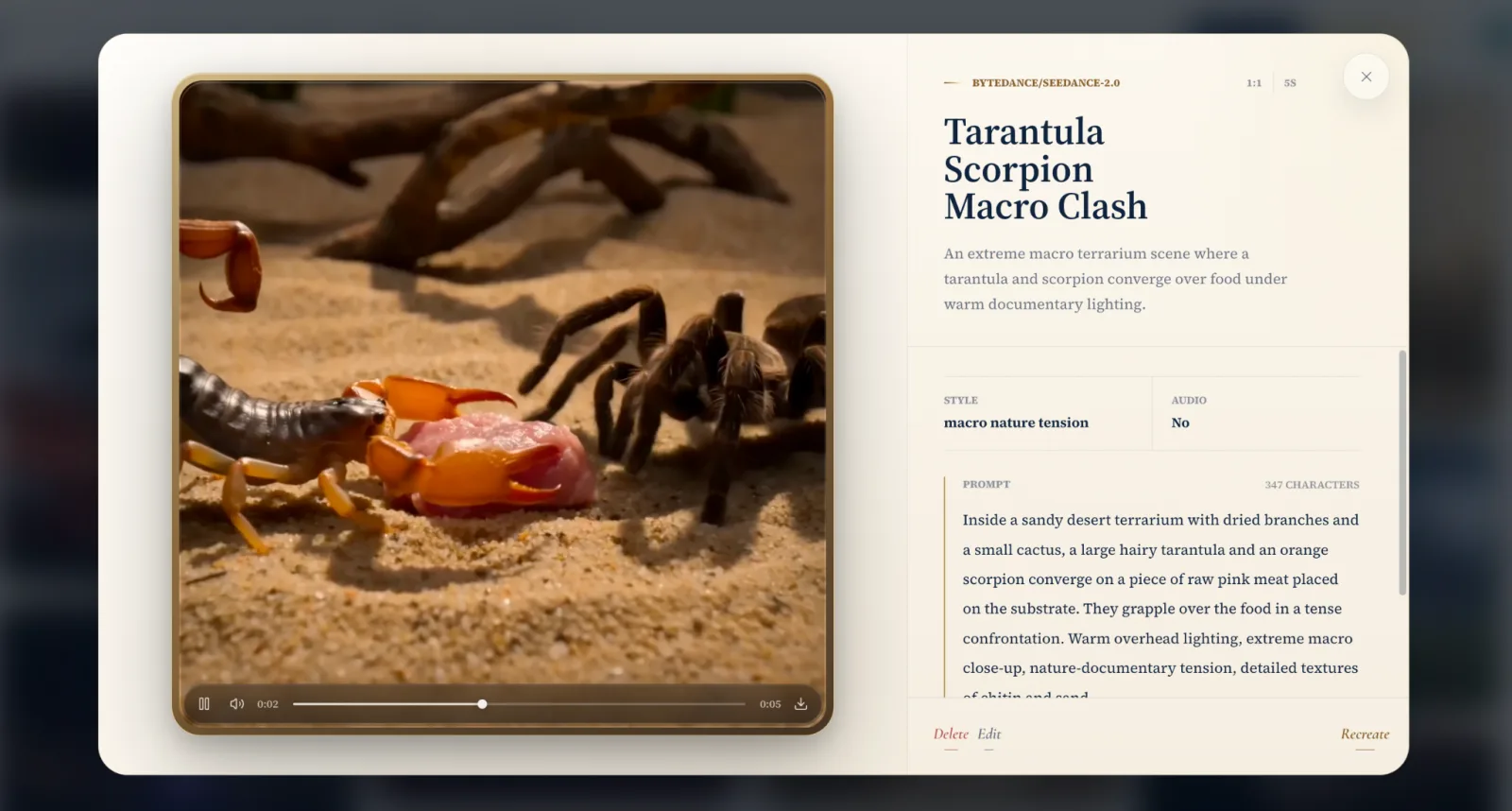
Recreate restores the source nodes and their connections, not just the prompt text. You begin with the complete, editable production setup and can change any part before running it again.
Reuse assets across projects
Good creative work is rarely used only once. A frame becomes a visual reference, a voice track becomes narration for a new cut, and an earlier document becomes the source for the next explainer. My Assets keeps that work available across Factory projects.
The library collects supported uploads and user-facing outputs, including images, video, audio, Storybooks, storyboard frames, infographics, and documents. Internal review material and diagnostic files stay out of the library, so it remains focused on assets creators can use again.
Assets are grouped by their original project and can be found by label, @tag, filename, project, or source node. Filter by media type, preview an item, and add it directly to the canvas. If that project already contains the asset, Factory reuses the existing node instead of creating another copy.
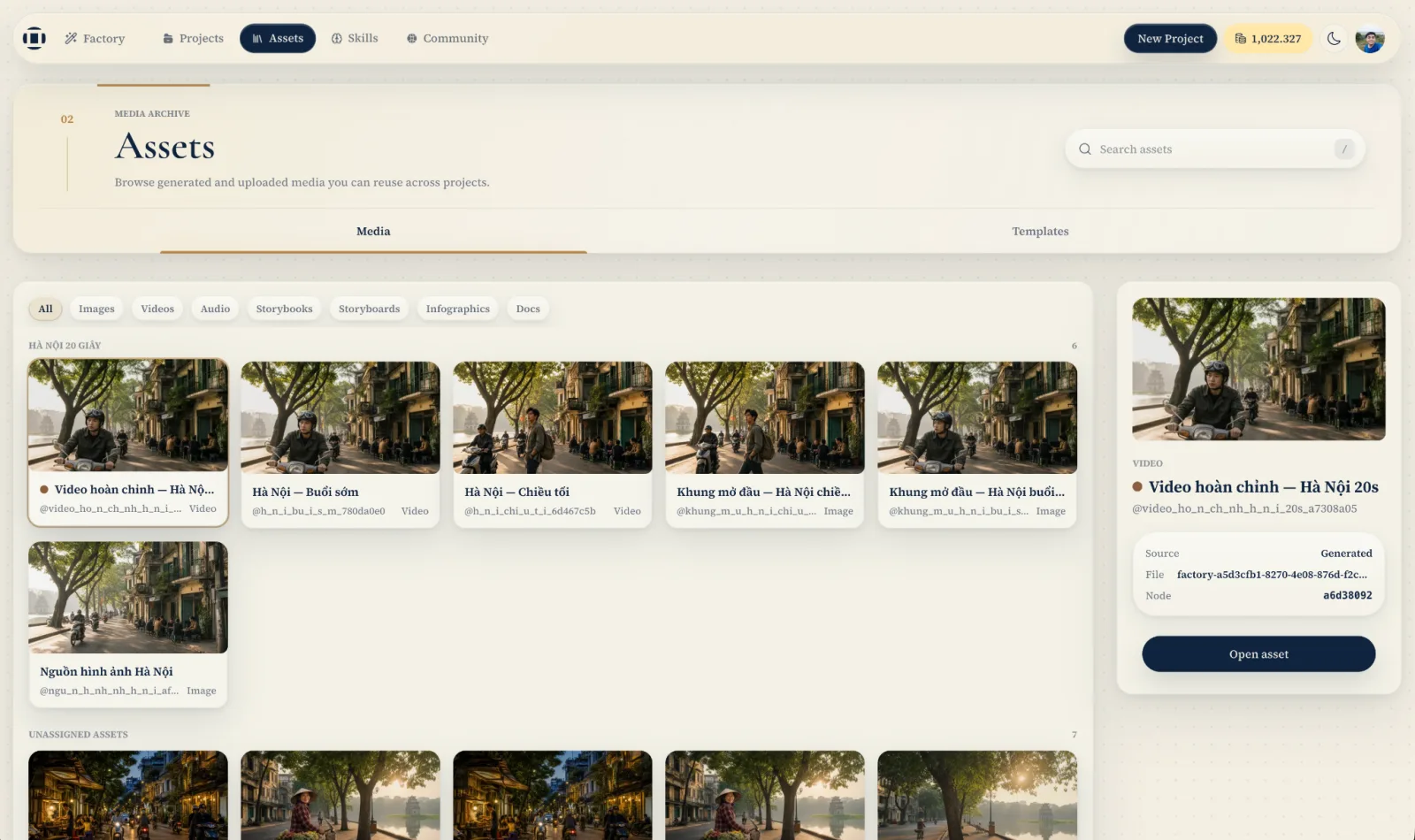
The same library is available from Factory Assistant. Type @, find the asset, and attach it as context for the instruction. New uploads and generated outputs appear in the picker, while owned assets can be renamed or removed when they are no longer needed.
The project can change, but the useful parts of the work remain ready for the next idea.
Try it now
Open Factory with a video you want to finish, a website or document you want to explain, a workflow you want to teach, or an asset you want to use again.
Try it now
Point Factory at a website and let it build. Come tell us what you make.